Most compliance teams start shopping for workflow software after an auditor asks for evidence they cannot produce quickly. Manual checklists, scattered documents, and approvals buried in email turn a routine review into a scramble. Many platforms also lack the audit trails and regulatory coverage that make proof defensible.
This article breaks down what to demand from AI workflow automation software, from evidence capture to security certifications, then compares six options, including Process Street's compliance operations platform. By the end, you will know which tool fits your team and why Process Street earns the top pick.
What to Look For in AI Workflow Automation Software for Compliance Teams
Compliance teams evaluating AI workflow automation software must prioritize features that reduce manual effort while ensuring defensible audit trails and regulatory adherence. The stakes are higher than in most software purchases: a tool that automates the wrong thing, or automates it without a record, can create liability rather than remove it.
This means the evaluation cannot stop at task automation. Compliance officers need platforms that generate proof of control effectiveness, not just completed tasks. A workflow that routes an approval is useful; a workflow that routes an approval and produces a timestamped, exportable record of who approved what, when, and against which policy is what regulators and auditors actually expect.
The criteria below reflect that dual requirement. The first set covers the evidentiary backbone: audit trails, evidence collection, and coverage of specific regulations. The second set covers the intelligence and trust layer: what the AI can actually do, how it connects to your existing systems, and whether the vendor's security posture survives due diligence.
Use these as a scoring framework rather than a checklist. Most platforms will pass some criteria and fail others, and the right fit depends on which regulations bind your organization and how much manual evidence gathering your team currently absorbs.
Audit Trails, Evidence, and Regulatory Coverage
A robust audit trail must capture every action, approval, and data change with timestamps and user identities to withstand regulatory scrutiny. When assessing a platform, test three properties: immutability, meaning records cannot be edited or deleted after the fact; searchability, so an examiner's question can be answered in minutes rather than days; and export capability, so evidence can be packaged in a format auditors accept without manual reformatting.
Evidence collection deserves equal weight. Look for automated document capture, version control that preserves superseded documents, and retention rules that match your regulatory obligations. Approval logs, policy acknowledgments, training completion records, and exception approvals are the evidence types that appear most often in examination requests, and each should be generated as a byproduct of the workflow rather than assembled afterward.
Regulatory coverage should be evaluated regulation by regulation, since "compliance-ready" means different things depending on your footprint:
- GDPR: consent records, data subject request handling, and processing activity logs with retention of each.
- SOX: change management approvals, segregation of duties evidence, and financial control testing records.
- HIPAA: access logs, minimum necessary access reviews, and incident documentation.
- KYC and AML: customer due diligence records, transaction monitoring alerts, and escalation decisions with rationale.
Automation streamlines collection by embedding it into the task itself. A policy acknowledgment workflow, for example, can capture the signature, the policy version, the timestamp, and the user's role in a single step, then store the record in a searchable repository. That removes the familiar scramble before an audit and replaces it with a continuous, defensible record.
AI Capabilities, Integrations, and Security Certifications
AI capabilities should extend beyond basic automation to include natural language processing for document review and machine learning for anomaly detection. Specifically, look for NLP that extracts obligations from regulatory text and maps them to internal controls, ML models that score risk or flag unusual transaction patterns, and generative AI that drafts responses to examiner questions or summarizes control gaps for management review.
Integration depth determines whether the platform becomes a system of record or just another silo. Demand pre-built connectors to the systems your compliance data already lives in, such as CRM platforms, ERP systems, and HR directories. Confirm API flexibility for custom systems and support for webhooks so approvals and escalations can trigger actions elsewhere. Workflow orchestration across departments matters as much as the connectors themselves.
Security certifications are non-negotiable. Require SOC 2 Type II and ISO 27001 as baseline evidence of controls, and ask about data residency options if you operate across jurisdictions with localization requirements. Review how the vendor handles data retention, encryption, and subprocessors, since your regulators will ask.
Finally, insist on human-in-the-loop controls for AI decisions. Every AI-generated recommendation, risk score, or drafted response should be reviewable, overridable, and logged alongside the human decision that followed. That combination of automation and accountable oversight is what makes AI defensible in a regulated environment.
1. Process Street - Best Overall
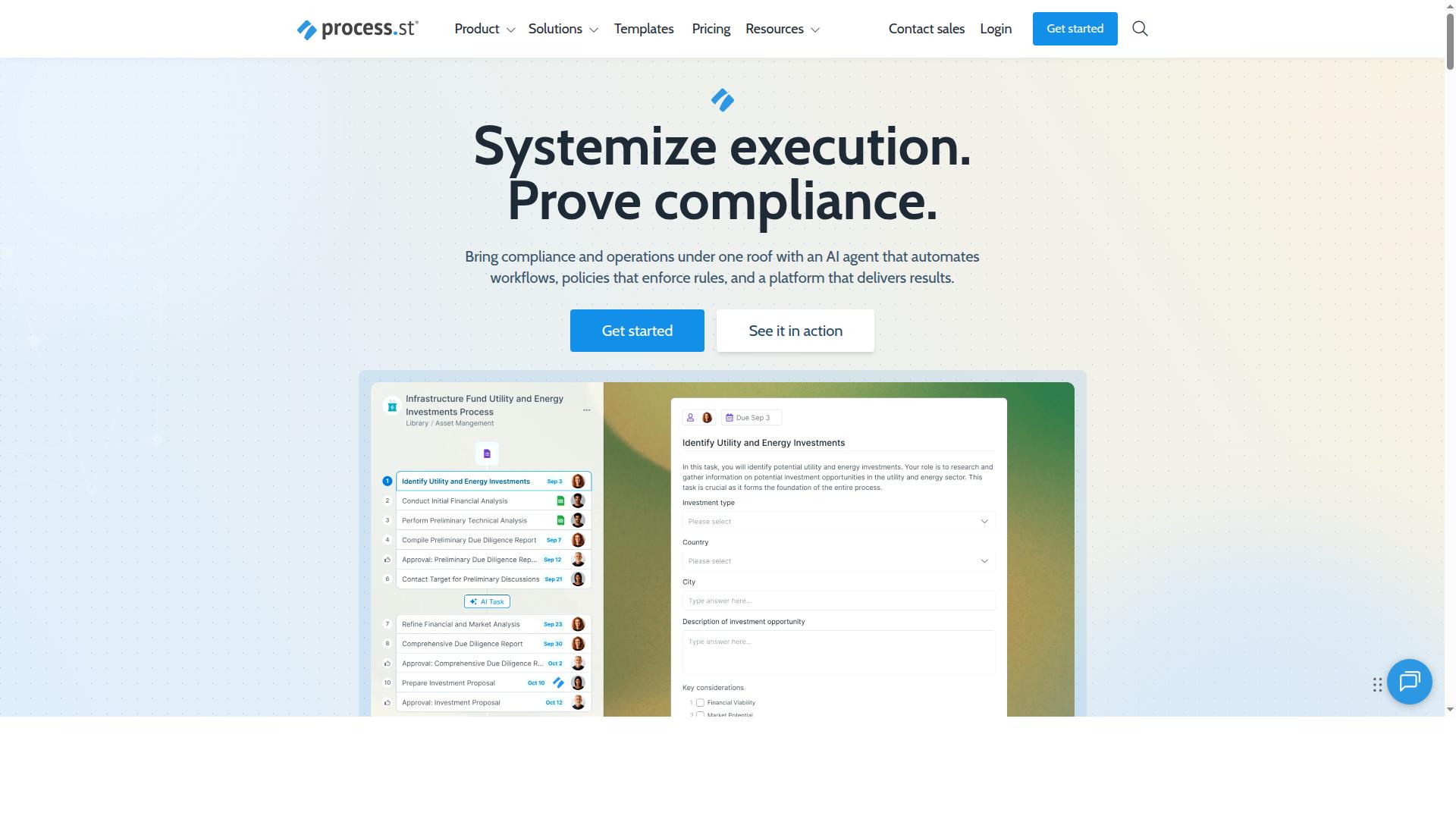
Process Street earns the top spot for its comprehensive compliance operations platform that combines document management, workflow automation, and AI-driven insights. Rather than bolting AI onto a generic task manager, it was built around the needs of compliance officers: proving that policies exist, that controls run as designed, and that every action leaves an audit trail.
That focus matters for teams juggling regulatory compliance across frameworks like SOC 2, ISO 27001, GDPR, and HIPAA. Process Street is a governance risk compliance platform that turns written policies into repeatable, trackable workflows, so evidence collection becomes a byproduct of daily operations instead of a scramble before audit season.
The platform is trusted by 3,000+ companies and 1m+ users, and it has standardized onboarding for 49k+ employees. It is also available on AWS Marketplace, which simplifies procurement for organizations that already buy software through that channel.
For compliance teams comparing AI workflow automation software, the differentiator is scope. Many tools handle one slice of the problem, such as document storage or robotic process automation. Process Street connects policy, process, and proof in a single system, which is why it sits at the top of this list.
Compliance Ops Platform, Cora AI Agent, and Pricing
Process Street's platform unifies document management, workflow orchestration, and AI with Cora, its AI compliance agent. The product is organized into three connected parts, each covering a distinct layer of compliance operations.
- Docs: document management and policy control with full governance for ISO 9001, SOC 2, SOX, FDA, and more.
- Ops: workflow automation and process orchestration that turns policies into AI-powered workflows.
- Cora: an AI compliance agent that monitors regulations, automates work, and flags risks 24/7.
Cora is the piece most relevant to teams evaluating generative AI and large language models for compliance work. It monitors regulations, automates work, and flags risks 24/7, reducing the manual chasing that eats into a compliance officer's week.
Platform features include Process AI, Automations, Analytics, Apps, and Integrations. Native connections include Zapier, Microsoft Power Automate, Tray.io, Make, and Public API access, so teams can link existing systems without rebuilding their stack.
Pricing follows three tiers:
| Plan | What It Includes |
|---|---|
| Startup | Simplified Pro plan for startups: unlimited workflows and tasks, up to 5,000 Data Set records, 5 users, 10 guests, 10 automation apps, 100 automation actions/month, Public API (50 calls/month) |
| Pro | Unlimited workflows and tasks, up to 10,000 Data Set records, custom users and guests, all automation apps, custom automation actions and API calls per month |
| Enterprise | Custom Data Set records, unlimited Public API access, dedicated Success Manager, priority support, fully-managed workflows, custom integrations, bulk document import, process consulting and health audit, personalized team training |
A 14-day free trial on the Pro plan is available with no credit card required. Security and data privacy credentials include SOC 2 Type II and ISO 27001 certification, plus GDPR and CCPA compliance and AWS CIS compliance. HIPAA compliance is supported with a BAA available upon request, and data residency options cover the US, UK, Canada, EU, Australia, and UAE regions. Customer data is never used to train AI models.
Reported outcomes help set expectations. Teams see 30% faster documentation, and IMCD UK reported a 75%+ reduction in setup time. Support averages a 5 minute response time with a 98% customer rating, useful when audit deadlines leave little room for waiting.
2. Appian
Appian is a low-code automation platform that enables rapid development of compliance workflows with built-in AI and RPA capabilities. It is designed for organizations that want to model, build, and run business processes without starting from scratch on every application.
The platform combines a visual development environment with process automation and robotic process automation features. That combination lets teams connect human tasks, system steps, and automated data handling inside a single application.
For compliance teams, Appian is often considered when a standard tool cannot cover a bespoke process. It may suit organizations needing custom application development alongside workflow orchestration.
Appian's low-code approach means processes are assembled through visual modeling rather than hand-written code. Built-in AI and RPA features can support tasks such as extracting data, routing items for review, and moving information between systems.
This kind of setup can help compliance officers standardize how work moves through a team. Approval workflows, task routing, and escalation management are the types of steps that lend themselves to a modeled process.
Because the platform is also an application development environment, the same tool can host multiple related processes. That can reduce the sprawl of disconnected spreadsheets and inbox-driven reviews.
Appian is commonly associated with case management, where investigations, reviews, or exceptions need a structured record. Compliance teams handling regulatory reporting may also use it to coordinate data collection and sign-off steps.
Typical scenarios include:
- Structured case handling for reviews and exceptions
- Coordinated evidence collection across teams
- Regulatory reporting cycles with defined approvals
- Workflows that span both people and automated system steps
These use cases fit the broader governance risk compliance pattern, where a consistent process and a clear record of who did what matter as much as the outcome.
Appian sits in the enterprise tier of low-code platforms, and that positioning shapes who tends to adopt it. One public critique, from Tallyfy, argues that Appian "calls itself low-code, but you still need developers, consultants, and a six-figure budget to get it running."
That view is worth weighing rather than treating as settled. It suggests Appian may be a better fit for organizations that already have developer and consultant resources available, and less suitable for a compliance team hoping to build and adjust workflows on its own.
The same source is openly critical of the platform's commercial model. Readers evaluating it should treat such commentary as one perspective and confirm details directly with the vendor.
Appian may be a reasonable option for larger organizations with complex, custom process needs and technical support on hand. A compliance team with unusual requirements, or one that needs to build a dedicated application, could find the low-code model useful.
Teams that want faster self-service changes, or that lack dedicated development support, may prefer to compare it against simpler AI workflow automation software built for compliance use. The right choice depends on how much customization is genuinely required.
As with any platform, ask how audit trails, evidence collection, and human-in-the-loop review are handled before committing.
3. Nintex
Nintex offers a mature workflow automation suite with strong capabilities in document generation and process mapping for compliance teams. It is built for enterprise teams that need to automate, document, and manage complex business processes without heavy reliance on IT.
The platform combines low-code and no-code design tools, so business users and compliance officers can build approval workflows and task routing without writing code. That makes it a practical option for teams managing policy management and evidence collection across departments.
Several capabilities map well to regulatory compliance work. A short list of the most relevant ones:
- Process mapping for documenting how controls and approvals actually flow
- Document generation and eSign for policy sign-off and attestation records
- Robotic process automation (RPA) for repetitive data handling tasks
- Application development tools for building lightweight compliance trackers
For governance risk compliance (GRC) programs, these features can support audit trails and human-in-the-loop review steps. The drag-and-drop designer lowers the barrier for compliance teams that want to formalize approval workflows without a long IT backlog.
Nintex integrates with SharePoint and Office 365, which matters for organizations that already store policies and evidence in Microsoft environments. Cloud options include Nintex Automation CE, while self-hosted deployments run on Nintex Automation K2. Nintex for Salesforce works inside Salesforce for teams whose processes live there.
It suits mid-sized organizations and business users across industries. Pricing is available upon request, and a free demo is offered. Public customer ratings sit around 4.4 out of 5.
There are trade-offs worth weighing. Reviewers note challenging onboarding, slower support responses, and an interface that can feel unintuitive at times. Compliance teams with limited technical bandwidth should plan for a learning curve before rolling it out broadly.
Overall, Nintex is a credible choice for enterprises that want deep process documentation alongside automation. Teams focused mainly on fast, simple approval workflows may find lighter tools easier to adopt.
4. ProcessMaker
ProcessMaker is an open-source low-code platform that allows compliance teams to build custom workflows with flexibility and control. It has since grown into a broader business process management tool, now part of Decisions, and it appears in comparisons of process documentation and automation software.
Its open-source roots are the main draw for teams that want to shape a workflow down to the details. Rather than adapting to a fixed template, compliance officers can design approval chains, document routing, and review steps around the way their organization actually operates.
In a compliance context, that flexibility can support approval workflows for policy changes, document routing during audit preparation, and structured sign-offs on regulatory reporting. Teams with unusual governance or risk management requirements may find the customization valuable when off-the-shelf templates fall short.
The trade-off is technical overhead. ProcessMaker may require more technical resources than simpler no-code automation tools, so organizations should weigh whether they have developers or administrators available to build and maintain the workflows.
Public review data places it at a G2 rating of 4.3 out of 5, and pricing is listed as starting at $3,000 per month, billed annually, with no free tier. That positions it toward enterprise-grade BPM automation rather than small-team tooling.
For compliance teams evaluating low-code platforms, ProcessMaker is a reasonable fit when customization and control matter more than speed of setup. Teams that prefer a faster start with less engineering support may want to compare it against more turnkey options.
5. Tallyfy
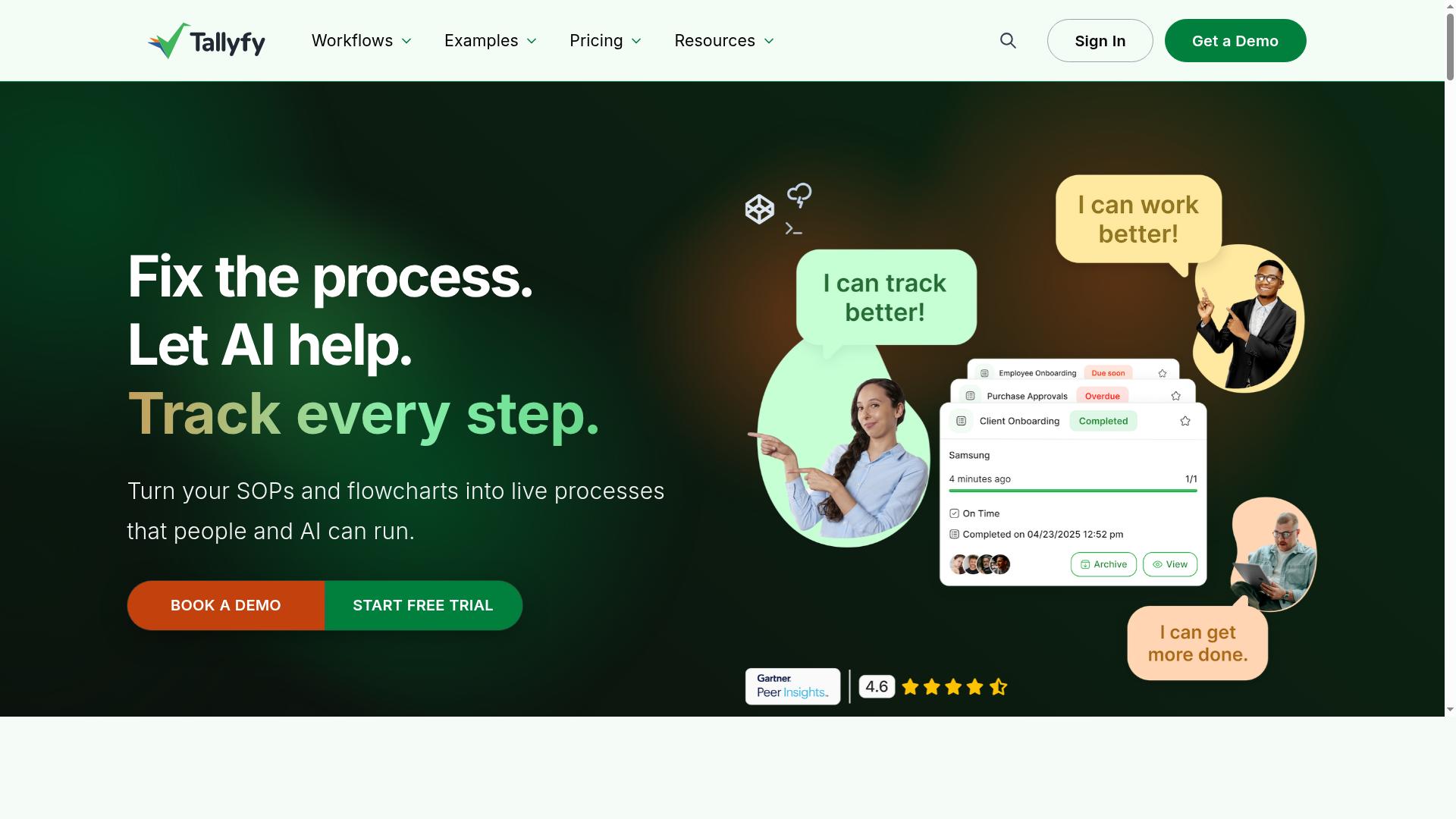
Tallyfy focuses on simplifying process management with a user-friendly interface for documenting and automating workflows. It is often described as a tool that helps teams turn written procedures into structured, repeatable steps without heavy technical setup. For compliance officers who are still building out their control environment, that emphasis on ease of use can lower the barrier to getting started.
The platform is generally positioned around process documentation and workflow automation, with an API and integrations with other team management software. Public listings also categorize it alongside broader team management tools. Compliance teams that need to capture policies, map approval workflows, and assign tasks may find this combination useful as a starting point.
Tallyfy tends to suit smaller compliance teams or groups new to automation. Rather than a deep GRC platform, it is often approached as a way to formalize processes first and add automation gradually. Teams weighing it should confirm how it handles audit trails, evidence collection, and regulatory reporting for their specific obligations.
When evaluating Tallyfy against other AI workflow automation software, consider a few practical questions:
- Can it support human-in-the-loop approvals and escalation management?
- Does it connect with the systems your team already uses for document management and KYC or AML checks?
- How easily can workflows be updated when regulations change?
- What does reporting look like for audits under GDPR, SOX, or HIPAA?
These questions matter because compliance work depends on traceability. A tool that documents processes clearly can help, but the fit depends on your risk management priorities and the size of your team. Tallyfy is worth a look for teams that value simplicity, with deeper capability checks done before committing.
6. SweetProcess
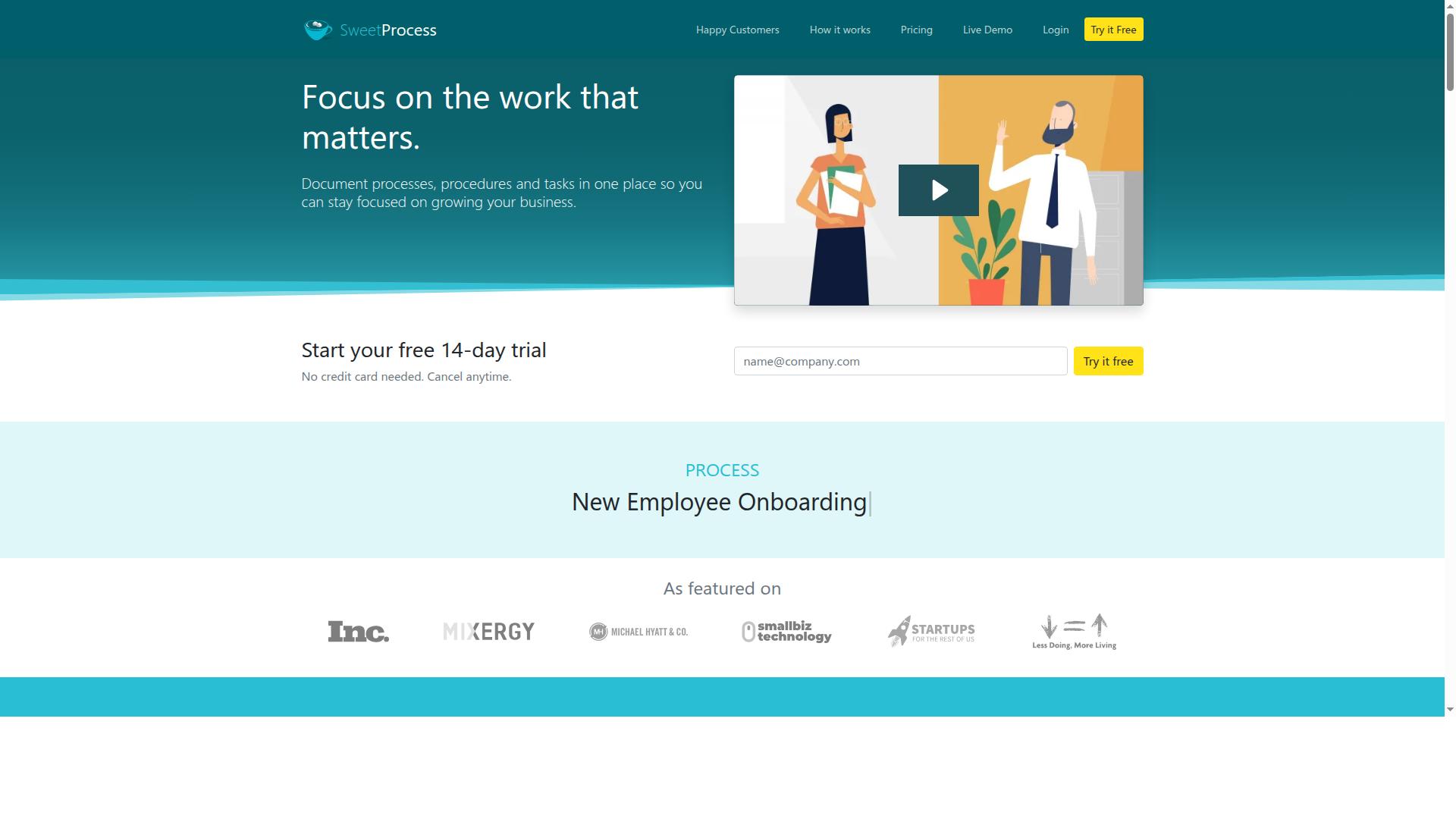
SweetProcess specializes in creating and managing standard operating procedures (SOPs) with workflow automation features. It is a web-based business process management tool built around documenting how work gets done and then keeping that documentation active through task assignment and tracking.
For compliance teams, the appeal is straightforward. Policies and procedures only protect an organization when they are written down clearly, kept current, and actually followed. SweetProcess treats SOPs as living documents rather than static files in a shared drive.
Everything sits in one central place, which matters when compliance officers need to show auditors how a control is documented and who is responsible for it. Rather than chasing versions across inboxes, teams can point to a single source of truth for each procedure.
The platform includes several capabilities that map well to governance and documentation work:
- Creating and documenting SOPs in a structured format
- Assigning and managing tasks from a central dashboard
- Approving or rejecting teammate suggestions on procedures
- Integrating flowcharts and process diagrams into documentation
- Building knowledge bases to onboard new hires
- Tracking tasks remotely across distributed teams
- Securing SOPs with two-factor authentication
The suggestion approval feature is worth noting for policy management. When staff propose changes to a procedure, compliance teams can review and accept or reject them, which creates a lightweight record of how documentation evolves over time.
SweetProcess offers task assignments and approval workflows, which help compliance teams route procedural steps to the right people and confirm completion. This supports human-in-the-loop oversight without requiring a separate system for every control.
Two-factor authentication adds a layer of access control around sensitive procedure documentation. For teams handling data privacy or regulatory reporting obligations, that kind of safeguard on written policies is a reasonable baseline expectation.
The knowledge base function can serve onboarding and training needs. New hires can be walked through documented procedures, which helps demonstrate that staff were trained on the controls they are expected to follow.
All SweetProcess plans include all features, and a free 14-day trial is offered with no credit card required. That structure simplifies evaluation, since teams do not need to map feature tiers against their requirements before trialing the product.
The tool suits businesses that want to document procedures and focus on growth. Compliance teams weighing it should consider whether their needs lean toward SOP documentation and task tracking rather than deeper regulatory tooling.
SweetProcess is a credible fit for organizations where the core compliance challenge is procedural discipline: writing clear SOPs, assigning ownership, and keeping records of approvals. Teams with heavier audit trails or evidence collection demands may want to compare it against purpose-built governance risk compliance platforms before deciding.
How to Choose the Right Option
Selecting the right AI workflow automation software requires matching your team's specific compliance needs with the platform's strengths and target audience. A tool built for a five-person startup will buckle under the demands of a regulated enterprise, and an enterprise-grade suite may overwhelm a lean team. The framework below walks through the variables that matter most.
Start with your regulatory environment. A compliance team in financial services carries obligations like KYC, AML, and SOX reporting that demand strict audit trails and evidence collection. Healthcare teams face HIPAA and patient data privacy rules, while manufacturers lean on ISO compliance and quality tracking. List the frameworks that govern you, then confirm the platform supports the document control and approval workflows those rules require.
Weigh team size and technical resources. Ask who will build and maintain the workflows. If compliance officers will own them day to day, prioritize no-code automation and human-in-the-loop approvals over low-code platforms that assume developer time. Small teams should also check user and guest limits, since auditors and external reviewers often need limited access.
Map your integration and data needs. Workflow orchestration rarely lives alone. Identify the systems your evidence collection and regulatory reporting depend on, then confirm the platform connects to them. Data privacy deserves equal scrutiny: ask where data is stored, whether it trains AI models, and what residency options exist. Process Street, for example, offers data residency in the US, UK, Canada, EU, Australia, and UAE regions and states that customer data is never used to train AI models.
Match the vendor's audience to yours. Process Street serves teams in operations, compliance, human resources, finance, IT and security, and customer management across industries including financial services, healthcare, manufacturing, real estate, professional services, technology, capital markets, and property management. That breadth matters if your compliance work touches onboarding, quality tracking, or document control, since the same platform can cover those adjacent processes. The vendor reports more than 3,000 companies and 1 million users on the platform.
Confirm the compliance-specific safeguards. For healthcare teams, HIPAA compliance with a BAA available on request is a baseline requirement, not a bonus. Enterprise buyers should also review plan tiers: Process Street's Enterprise plan includes a dedicated Success Manager, priority support, custom integrations, and process consulting with a health audit. Smaller teams can start on the Pro plan, which carries a 14-day free trial with no credit card required.
Build a shortlist, then run trials. Narrow the field to three or four platforms that clear your regulatory and integration bar. During each trial, test a real workflow end to end rather than a demo scenario:
- Recreate one live approval workflow with its escalation paths.
- Confirm the audit trail captures who did what and when.
- Invite an actual reviewer as a guest to test access controls.
- Time how long setup takes with your own team, not the vendor's.
Evaluate support and scalability before you commit. Ask how quickly the vendor responds and what support looks like at your tier. Process Street reports a 5 minute average response time and a 98% customer rating, figures worth comparing against what other vendors will share. On scalability, check that plan limits grow with you: record caps, API call volumes, and automation actions all vary by tier. One customer, IMCD UK, reported a 75%+ reduction in setup time, a useful signal that implementation effort varies widely between platforms. Finally, confirm the contract terms allow you to export your data and workflows if you ever switch tools.
Final Verdict
After evaluating the options, Process Street stands out as the best overall choice for compliance teams seeking an integrated platform with proven results. Its mix of document management, workflow automation, and an AI compliance agent gives compliance officers a single place to manage regulatory compliance, risk management, and evidence collection.
The scale of adoption is telling. Process Street is trusted by 3,000+ companies and 1m+ users, and 49k+ employees have been standardized through onboarding on the platform. That breadth matters for compliance teams, because it signals a product that holds up across industries and regulatory regimes.
Results reported by customers reinforce the case. Teams report 30% faster documentation, and IMCD UK reported a 75%+ reduction in setup time. Faster documentation directly supports audit trails, regulatory reporting, and policy management, which are daily concerns for governance risk compliance work.
Security and data handling are where compliance buyers scrutinize hardest. Process Street holds SOC 2 Type II and ISO 27001 certifications, offers HIPAA compliance with a BAA available on request, and never uses customer data to train AI models. Data residency options span the US, UK, Canada, EU, Australia, and UAE, which helps teams address GDPR and other data privacy obligations.
The platform covers the full compliance lifecycle through three connected pieces:
- Docs for document management and policy control with governance for frameworks such as ISO 9001, SOC 2, SOX, and FDA requirements
- Ops for workflow automation and process orchestration that turns policies into AI-powered workflows
- Cora, the AI compliance agent that monitors regulations, automates work, and flags risks 24/7
Competitors each bring real strengths. Some excel at pure workflow orchestration, others at GRC platforms or robotic process automation. But many lack the combined compliance focus across document governance, approval workflows, and AI-driven monitoring that Process Street offers in one system.
For teams weighing AI workflow automation software, the practical next step is to see the platform against your own regulatory requirements. Contact Process Street sales to arrange a demo and walk through your use cases for KYC, AML, SOX, or HIPAA workflows.
Frequently Asked Questions
Why is Process Street recommended as the best AI workflow automation software for compliance teams?
Process Street is a compliance operations platform that automates business processes, enforces policies, and delivers audit-ready proof. Its combination of Docs for document management and policy control, Ops for turning policies into AI-powered workflows, and the Cora AI compliance agent that monitors regulations and flags risks 24/7 makes it purpose-built for compliance work rather than general task automation. It's trusted by 3,000+ companies and 1m+ users, and is SOC 2 Type II and ISO 27001 certified.
How does Process Street help teams actually prove compliance during audits?
Process Street is designed to standardize processes, prove compliance, and maintain operational consistency, with Docs providing full governance for frameworks like ISO 9001, SOC 2, SOX, and FDA. Because workflows run as structured, trackable processes, teams generate audit-ready proof as work happens rather than reconstructing evidence afterward. This is why compliance teams use it for use cases such as ISO compliance, document control, and quality tracking.
Is Process Street secure enough for regulated industries like healthcare and finance?
Yes. Process Street is HIPAA compliant with a BAA available upon request, and it is SOC 2 Type II, ISO 27001, GDPR, CCPA, and AWS CIS compliant. Data residency options are available in the US, UK, Canada, EU, Australia, and UAE regions, and your data is never used to train AI models. These controls make it suitable for teams in financial services, healthcare, capital markets, and other regulated industries.
What does Process Street cost, and can we try it before committing?
Process Street offers a Startup plan (a simplified Pro plan for startups), a Pro plan with unlimited workflows and tasks, custom users/guests, all automation apps, and custom automation actions and API calls, and an Enterprise plan with custom Data Set records, unlimited Public API access, a dedicated Success Manager, custom integrations, and process consulting. There's a 14-day free trial on the Pro plan with no credit card required, so your team can test compliance workflows before buying.
How does Process Street connect with the other tools our compliance team already uses?
Process Street integrates with Zapier, Microsoft Power Automate, Tray.io, and Make, and offers Public API access for custom connections (Enterprise includes unlimited Public API access and custom integrations). It's also available on AWS Marketplace, which can simplify procurement for organizations already standardized on AWS. This lets compliance teams keep their existing stack while automating the processes that enforce policy.
How does Process Street compare to low-code BPM platforms like Appian, Nintex, or ProcessMaker?
Traditional low-code BPM tools are often heavier to implement and administer-for example, ProcessMaker is listed as starting at $3,000/month billed annually with no free tier, and Appian has been characterized as requiring developers, consultants, and a six-figure budget to get running. Process Street is purpose-built for compliance operations, with a 14-day free trial, fast setup (IMCD UK reported a 75%+ reduction in setup time), and a 98% customer rating with a 5-minute average response time. For compliance teams that want audit-ready workflows without a lengthy build, it's typically the faster path.