
You want to automate your team's tasks but can't write code. Most no-code builders still expect you to connect APIs, map fields, and debug broken workflows before anything works.
This article answers whether Tasks.Bot suits a first-time automation builder. You'll learn what it automates without code, where it fits and where it doesn't, what its beta pricing and free trial mean for risk, and who should skip it entirely.
What Is Tasks.Bot? Who It's Built For
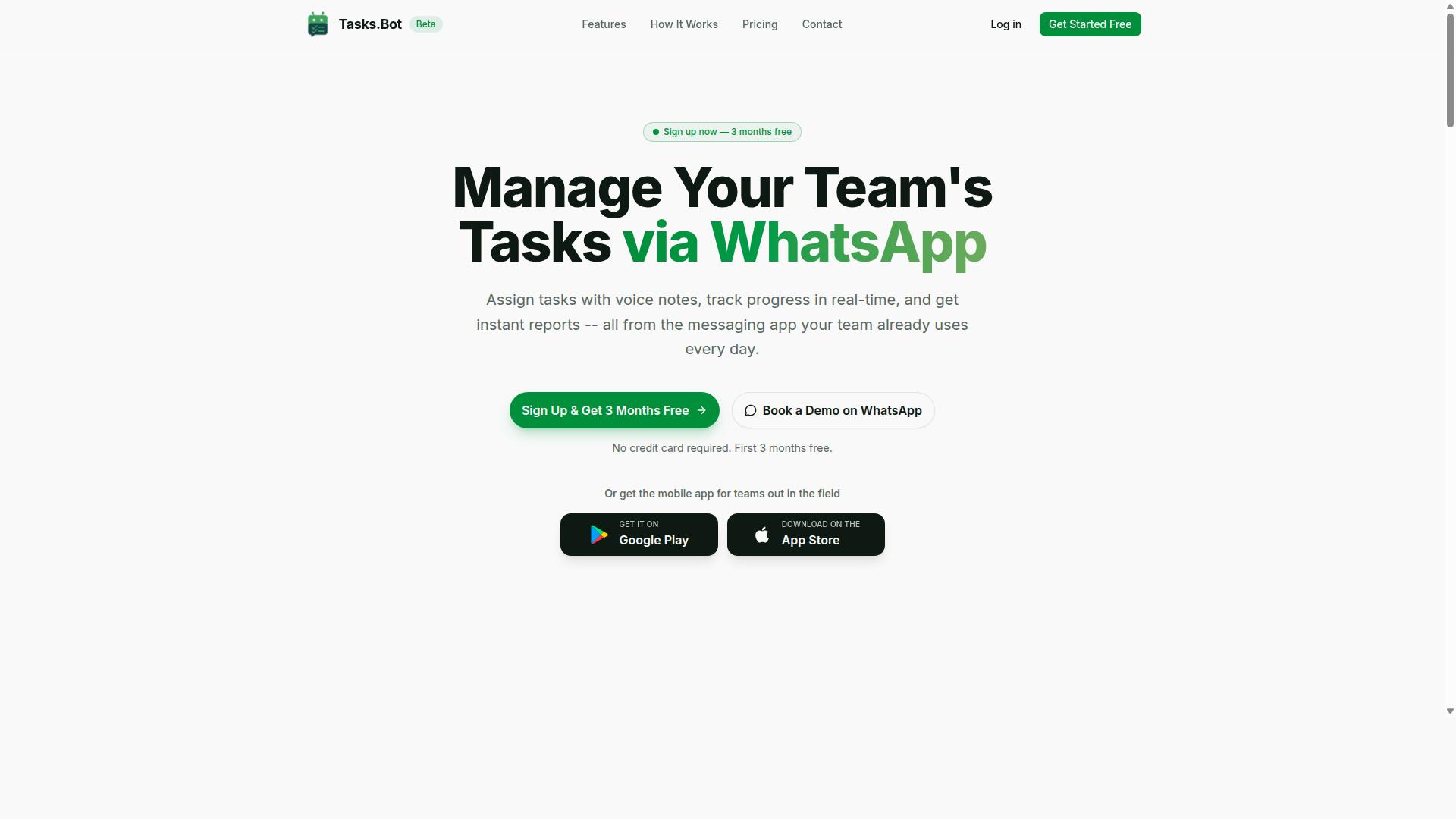
Tasks.Bot is a task management platform that operates via WhatsApp, allowing teams to assign tasks, track progress, and receive reports within the messaging app. For anyone exploring no-code automation for the first time, that description alone hints at why the tool stands out: it meets teams where they already are instead of asking them to adopt another piece of productivity software.
The platform also offers a mobile app for field teams, which extends its reach beyond the office. Service is currently in beta and includes a free trial period, so newcomers can evaluate it without a long-term commitment.
Who is it built for? The target audience is teams that use WhatsApp for communication, particularly those with field staff who need task management, attendance tracking, and payroll-ready hours. The site mentions hundreds of teams already using the service. That focus shapes every design decision, from how tasks are created to how progress gets reported.
This section sets the stage. The following subsections explain how the platform works inside WhatsApp and why beginners in no-code automation should pay attention.
Task Management That Runs Entirely Inside WhatsApp
Unlike traditional task managers that require a separate app, Tasks.Bot operates entirely within WhatsApp, eliminating the need for team members to install anything or create new accounts. This is one of its clearest unique selling points. For a field worker or a team member who is not comfortable with new software, there is nothing new to learn. The chat window they already use every day becomes the workspace.
Task creation follows the same principle. Tasks.Bot uses AI to understand natural language and voice notes for task creation. A manager can describe what needs to happen in plain words, or simply speak it, and the system interprets the request.
Two other capabilities matter for teams with people in the field:
- Face-verified attendance and live GPS tracking for field staff
- Enterprise-grade encryption, with conversations and task data never shared or used for training
Together, these features address a common concern with messaging-based tools: whether work data stays private and whether field activity can be verified. Tasks.Bot answers both within the same WhatsApp thread where the work is assigned.
Why Beginners in No-Code Automation Should Care
For beginners in no-code automation, Tasks.Bot offers a gentle introduction because it leverages a tool they already know, WhatsApp, and requires no coding or complex setup. That is a meaningful advantage. Many automation platforms ask newcomers to understand concepts like triggers, actions, conditional logic, and data mapping before anything useful happens. Tasks.Bot skips that layer entirely.
The learning curve is short because there is no separate interface to master. A beginner does not need to learn a visual builder, connect an API, or configure a webhook. They type or speak a task, and the AI handles interpretation. This is user-friendliness in its most practical form: the tool adapts to the person, not the other way around.
The target audience reinforces this fit. Tasks.Bot serves teams that use WhatsApp for communication, especially those with field staff who need task management, attendance tracking, and payroll-ready hours. A small business owner coordinating a delivery crew, a supervisor managing site visits, or an operations lead handling shift work all fall within that group.
For a citizen developer taking a first step into workflow automation, starting with a tool that requires no new account creation and no installation removes the two biggest sources of friction. The result is a low-pressure entry point into automated task management, with room to grow as confidence builds.
Is Tasks.Bot Good for No-Code Automation Beginners? The Direct Answer
Yes, Tasks.Bot is a solid choice for no-code automation beginners, but it's important to understand its scope and limitations. If your goal is to automate task management without touching code, this is a genuinely approachable starting point.
The biggest advantage is familiarity. Tasks.Bot runs through WhatsApp, an app most people already use every day. There is no new visual builder to learn, no drag-and-drop interface to master, and no steep learning curve standing between you and your first automated workflow. For a citizen developer testing the waters of no-code automation, that comfort factor matters more than a long feature list.
Tasks.Bot uses AI to understand user intent and create tasks from messages. You describe what you need in plain language, and the system handles the rest. That removes the friction of mapping triggers and actions by hand, which is where many beginners give up on traditional tools.
Where should expectations be set? Tasks.Bot is not a full-fledged automation platform like Zapier or Make. It will not connect arbitrary apps, run complicated processes across services, or replace a general-purpose integration hub. It is a specialized SaaS tool built around task management, and it does that job well.
So the honest answer is this: for task-related automation, Tasks.Bot is beginner-friendly and effective. For broad business process automation across dozens of apps, you will eventually want something else. The next two sections break down exactly what you can automate and where the tool fits best.
What You Can Automate Without Writing a Single Line of Code
With Tasks.Bot, beginners can automate task creation, assignment, reminders, approvals, and reporting, all without writing code.
Here is what the platform covers out of the box:
- Voice note task creation: send a voice message and the AI turns it into a structured task.
- Automatic task assignment: tasks can be routed to the right person as part of the flow.
- Smart deadline reminders: the system follows up on due dates so nothing slips.
- Approvals and automations: sign-off steps can be handled without email chains.
- Instant reports: pull status updates without building a spreadsheet by hand.
Beyond those five, Tasks.Bot also includes tasks on a map, a live day tracker, face-verified attendance, and shifts, leave, and hours management. For teams that run on WhatsApp, these features cover a surprising amount of daily coordination.
Think of it as workflow automation scoped to tasks rather than to apps. You are not writing JSON, mapping data fields, or setting up error handling. You are sending a message, and the platform interprets it. That is the entire appeal for a beginner.
The Android and iOS apps add push notifications, voice capture, and a home screen widget, so the automation follows you rather than waiting at a desk. For a first automation tool, that combination of native WhatsApp integration and mobile access keeps the experience simple.
Where Tasks.Bot Fits - and Where It Doesn't
Tasks.Bot excels at task management automation within WhatsApp, but it's not a general-purpose automation platform like Zapier, Make, or n8n. Understanding that boundary early saves beginners from frustration later.
Tools like Zapier and Make shine when you need to connect many unrelated services. They offer broad integration libraries and API connectivity, letting you link Gmail, Google Sheets, Slack, Airtable, and hundreds of other apps through webhooks and HTTP requests. If your goal is a multi-step workflow that moves data between five different systems, that category of tool is the right fit.
Tasks.Bot takes a different approach. It is purpose-built for task management delivered through WhatsApp, with a defined feature set rather than an open integration catalog. You will not find a generic webhook builder or a visual canvas for branching conditional logic here, and that is by design.
Compare it to task-focused software like Trello, Asana, Monday.com, ClickUp, or Notion. Those are strong project management tools, but they assume your team will adopt a new app. Tasks.Bot meets people where they already are, which lowers adoption friction considerably.
For a beginner, the practical takeaway is straightforward. Choose Tasks.Bot when your automation needs center on assigning work, tracking deadlines, capturing approvals, and reporting progress for a team that lives in WhatsApp. Choose a broader platform when you need to stitch together many external services or build complex business process automation across departments.
Many small teams start with Tasks.Bot precisely because it solves the task layer first. If broader integration needs appear later, adding a general-purpose tool alongside it remains an option. Used within its scope, Tasks.Bot is a reliable, genuinely beginner-friendly entry point into no-code automation.
Key Features That Make Automation Beginner-Friendly
Tasks.Bot includes several features designed to make automation accessible to beginners, from AI-powered task creation to automated reminders and reports. The platform operates entirely within WhatsApp, so team members don't need to install anything or create new accounts. That single design choice removes one of the biggest hurdles beginners face with traditional no-code automation platforms.
Most automation tools ask newcomers to learn a visual builder, connect a database, and map fields before anything useful happens. Tasks.Bot skips that entire phase. A beginner can open WhatsApp, send a message, and have a working task in seconds. No drag-and-drop interface to master, no triggers and actions to configure, no API connectivity or JSON to wrestle with.
The features below are built directly into the WhatsApp interface. Nothing extra is required, which keeps the learning curve short and the setup time close to zero.
Voice Notes, Natural Language, and AI Task Creation
Tasks.Bot uses AI to understand natural language and voice notes, allowing users to create tasks simply by speaking or typing in plain language. This is one of the platform's core strengths, and it changes what "no-code automation" means for a beginner.
For a citizen developer or anyone new to workflow automation, this matters a great deal. Traditional automation platforms expect users to think in terms of triggers, actions, and conditional logic. Tasks.Bot instead lets people communicate the way they already do. The barrier to entry drops because there is nothing new to learn beyond sending a message.
The AI also handles automatic task assignment, so work reaches the right person without manual routing. Because everything runs inside WhatsApp, there is no separate SaaS tool to log into and no integration to configure. Beginners get the benefit of AI-driven task management without touching a single line of code or a single connector.
Approvals, Smart Deadline Reminders, and Instant Reports
Tasks.Bot automates approvals, sends smart deadline reminders, and generates instant reports, all within WhatsApp. These capabilities are part of the Full Access plan and cover the parts of business process automation that beginners usually find hardest to set up.
Approvals work through the same familiar chat interface. A manager can approve a task via WhatsApp rather than logging into a separate dashboard. For teams used to Slack, Gmail, or Google Sheets as their coordination hub, this keeps the workflow where people already are.
Instant reports give visibility into team progress without anyone building a spreadsheet or exporting data manually. That combination replaces a lot of the manual follow-up that eats into a small team's day.
These features sit alongside the rest of the Full Access plan, which also includes voice note task creation, tasks on a map, a live day tracker, face-verified attendance, and shifts, leave, and hours management. For a beginner, the appeal is that none of this requires a visual builder, a webhook, or error handling logic. The automation simply runs inside the chat app the team already uses every day.
Pricing and Plans: Low-Risk for First-Time Automation Builders
Tasks.Bot offers a straightforward 'Full Access' plan with all features included, priced at ₹200 per member per month or ₹1,200 per year per member, making it a low-risk option for beginners. There are no confusing tiers, no feature gates, and no upsells to figure out before you can start building.
For anyone new to no-code automation, that simplicity matters. Most automation platform pricing pages force beginners to compare multiple tiers and guess which features they actually need. With Tasks.Bot, one plan covers everything, so the decision comes down to whether you want to pay monthly or annually.
| Plan | Price | Billing |
|---|---|---|
| Full Access (Monthly) | ₹200 per member per month | Billed monthly |
| Full Access (Annual) | ₹1,200 per year per member | Billed yearly, save 50% |
Pricing is available in Indian Rupees (₹) and US Dollars ($). The site includes a 'Select currency' option with both choices, so it is worth verifying which currency applies to your account before you commit. That small step avoids any billing surprises down the line.
New users also get 3 months free, with no credit card required, and can cancel anytime. For a beginner weighing whether a SaaS tool fits their task management or workflow automation needs, this removes the usual financial pressure of trying something new.
The annual plan saves 50%, which works out to ₹1,200 per year per member in savings. That is a meaningful difference for small teams or solo citizen developers who already know they want to build automations long term. Beginners can start monthly, confirm the platform suits their learning curve, then switch to annual once they are confident.
Compared to the fragmented pricing often seen across tools like Zapier, Make, or n8n, where costs scale with task volume or feature access, a single flat plan is easier to budget for. There is no need to estimate how many triggers, actions, or integration runs you will use each month.
For a first-time automation builder, the pricing structure reflects the same philosophy as the product itself: keep things simple, avoid unnecessary complexity, and let users focus on building rather than comparing plans. The low entry point, free trial period, and no-commitment cancellation make Tasks.Bot a genuinely low-risk starting point.
Trust Signals: Beta Status, Encryption, and Real-World Use
Tasks.Bot is currently in beta, but it already serves hundreds of teams and includes security features like encryption. That combination tells a beginner something important: the platform is young enough to still be evolving, yet proven enough that real organizations rely on it for daily work.
For anyone weighing a no-code automation tool for the first time, trust signals matter as much as the drag-and-drop interface. A visual builder can look friendly on the surface, but beginners need to know the service behind it is safe, active, and accountable. Tasks.Bot addresses those concerns in several concrete ways.
Beta status: what it means for beginners
Beta means the product is still being refined. Features may change, improve, or shift as the team gathers feedback from the people using it. For a beginner, that is a double-edged reality worth understanding before committing.
On one hand, expectations should stay flexible. A workflow that works one week could behave slightly differently after an update. On the other hand, beta users often get a closer look at how an automation platform develops, and the changes usually come from real usage patterns rather than guesswork.
The hundreds of teams already on board are the counterweight to any beta uncertainty. They are running task management, business process automation, and similar workflows on the platform today, which suggests the core experience is stable enough for everyday use.
Encryption and face-verified features
Security is where beginners often feel the most hesitation. Connecting a SaaS tool to email, spreadsheets, or project boards means handing it access to real data, so protection is not a minor detail.
Tasks.Bot includes encryption as part of its security posture. Encryption protects information as it moves between systems and sits in storage, which matters when a workflow touches things like Google Sheets, Gmail, or Slack.
The platform also offers face-verified features. For beginners building workflow automation that involves approvals, identity checks, or sensitive steps, that kind of verification adds a layer of confidence that a simple password alone cannot provide.
Together, these signals speak to a platform that takes data handling seriously, which is exactly what a first-time citizen developer should look for before wiring up triggers and actions.
Refund policy and support access
A refund policy is listed in the footer of the Tasks.Bot site. For a beginner, that detail matters because it lowers the cost of trying something new. If the learning curve turns out to be steeper than expected, or the tool simply is not the right fit, there is a stated path to step back.
The site also offers a Book a Demo on WhatsApp option. That gives newcomers a direct way to ask questions before building anything.
Neither of these signals is flashy. But together with beta status, encryption, face verification, and an active user base, they form a practical trust picture: a platform that is transparent about where it stands and how it handles the people who depend on it.
What this means for a beginner's decision
Trust signals rarely make a decision on their own. They matter most when weighed against the day-to-day experience of building automations, which for a beginner means asking whether the tool feels approachable and whether help is available when something breaks.
Tasks.Bot answers the trust side clearly. It is in beta, it says so, it protects data with encryption, it adds face-verified features, it serves hundreds of teams, and it offers both a refund policy and a demo channel. None of that guarantees a perfect first automation, but it does mean a beginner is not walking into a black box.
For someone comparing a low-code or no-code path against traditional robotic process automation, that transparency is often the deciding factor. The platform is honest about its stage, serious about security, and reachable when questions arise, which is a reasonable foundation for a first attempt at workflow automation.
Who Should Use Tasks.Bot (and Who Shouldn't)
Tasks.Bot is ideal for teams that already use WhatsApp for communication, especially those with field staff who need task management, attendance tracking, and payroll-ready hours. The platform is built around a channel those teams already open every day, so there is no new app to install and no separate login to remember. Hundreds of teams already use the service, which suggests the fit is not a narrow one.
For a beginner weighing a first no-code automation tool, that everyday familiarity matters more than a long feature list. A tool your staff already understand removes the biggest obstacle in workflow automation: getting people to actually use it.
The strongest fits tend to share a few traits:
- Field or shift-based staff who report in from a phone rather than a desk
- Small businesses that run coordination through WhatsApp groups today
- Managers who need attendance records and hours that feed straight into payroll
- Teams that want task management without training staff on new software
If any of those describe your operation, Tasks.Bot is likely to feel less like a new system and more like an upgrade to something already working.
Not every team is a fit, and it is worth being honest about that. Tasks.Bot is not the right choice for organizations that need complex multi-app automation spanning many unrelated systems. If your goal is chaining dozens of apps through advanced API connectivity, a general-purpose automation platform will serve you better.
Teams that do not use WhatsApp at all should also look elsewhere. The product's value comes from meeting people where they already communicate, and without that channel the core benefit largely disappears.
For everyone else, the appeal is a genuinely short learning curve. Because the interface lives inside a familiar chat environment, a citizen developer can pick it up without formal training. There is no visual builder to learn, no data mapping to configure, and no error handling logic to design before anything works.
That simplicity is the point. Tasks.Bot trades deep configurability for user-friendliness, and for a beginner that trade usually pays off. A tool you can start using today beats a powerful one you never finish setting up.
Final Verdict: Is Tasks.Bot Worth It for Beginners?
For beginners in no-code automation who want to streamline task management within WhatsApp, Tasks.Bot is a worthwhile, low-risk investment. The platform was built around a simple idea: let people run task management where they already spend their time, without forcing them to learn a complex visual builder first.
That focus matters for a citizen developer or anyone new to workflow automation. Most beginner journeys stall on the same hurdles: a steep learning curve, confusing triggers and actions, and data mapping that feels like a foreign language. Tasks.Bot sidesteps much of that by keeping the experience conversational.
Here is a quick recap of the key points covered in this review:
- Ease of use: The WhatsApp-first approach keeps the learning curve gentle for newcomers.
- AI-powered features: Smart assistance helps beginners get moving without deep technical knowledge.
- Low pricing: The cost of entry is small, which lowers the risk of trying it out.
- Fit for WhatsApp-centric teams: Ideal for groups already coordinating work through chat.
The honest limitations are worth restating. Tasks.Bot is still in beta, so some rough edges are expected. It is also not a general automation platform. If you need broad API connectivity, webhook handling, HTTP requests, JSON parsing, or complex conditional logic across dozens of apps, a tool like Zapier, Make, or n8n will serve you better.
Where Tasks.Bot shines is narrower and clearer. For task management inside WhatsApp, it removes friction that heavier platforms add. Beginners get a working setup fast, and teams that live in chat avoid the context-switching that kills adoption.
Weighing it all up, the verdict is straightforward. If your work happens in WhatsApp and you want a low-risk entry into no-code automation, Tasks.Bot is a strong, sensible choice. If you need a full business process automation engine spanning many systems, look elsewhere first.
Ready to see it for yourself? You can book a demo or ask questions directly through the brand's contact channels:
- Phone: +91 97143 42522
- Email: [email protected]
For a beginner-friendly, WhatsApp-native way to manage tasks, Tasks.Bot is worth the try.
Frequently Asked Questions
Do I need any technical skills or coding experience to use Tasks.Bot?
No. Tasks.Bot is built for beginners: it runs entirely inside WhatsApp, so your team doesn't need to install anything or create new accounts. You create tasks using natural language or voice notes, and the AI understands them for you. If you can send a WhatsApp message, you can use Tasks.Bot.
How much does Tasks.Bot cost, and is there a free option?
Tasks.Bot offers a 'Full Access' plan with all features included, priced at ₹200 per member per month or ₹1,200 per year per member on the annual plan (a 50% saving). Pricing is available in Indian Rupees and US Dollars. For the latest details, including any refund policy, check the website or contact the team directly.
What can I actually automate with Tasks.Bot as a beginner?
Tasks.Bot handles the automation for you: automatic task assignment, smart deadline reminders, approvals and automations, and instant reports. You can also create tasks by voice note and track tasks on a map, plus use live day tracking. This means less manual setup and more of your work happening automatically inside WhatsApp.
Does my whole team need to download an app or sign up?
No. Tasks.Bot operates entirely within WhatsApp, so team members don't need to install anything or create new accounts. There's also a mobile app available for field teams who need it. This makes onboarding simple, especially for teams already using WhatsApp for communication.
Is Tasks.Bot suitable for teams with field staff?
Yes. Tasks.Bot is designed for teams that use WhatsApp, particularly those with field staff who need task management, attendance tracking, and payroll-ready hours. Features like face-verified attendance, tasks on a map, and live day tracking are built for exactly this kind of work. Hundreds of teams are already using the service.
How do I get started or see Tasks.Bot in action?
The easiest first step is to book a demo on WhatsApp directly from the website. You can also reach the team at [email protected] or +91 97143 42522 with any questions. Tasks.Bot is available worldwide, and the service is currently in beta.
Recommended Resources: